
JBL Portable
Harman Consumer, Inc.Entertainment
4.77.11K Reviews
- Version
- 6.9.33
- Installs
- 10.00M
- Age Rating
- Everyone
Screenshots
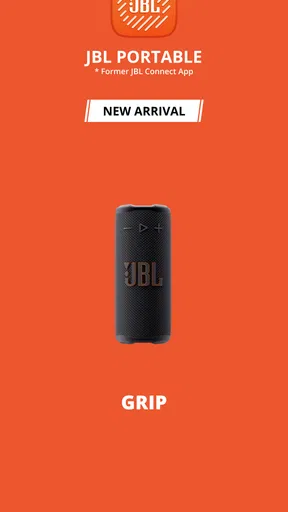
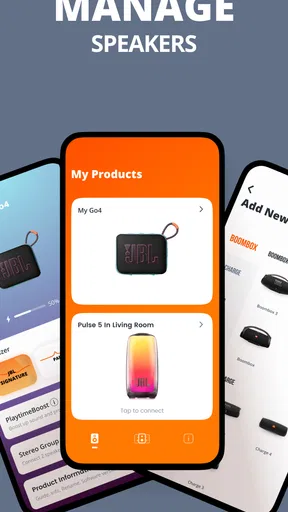
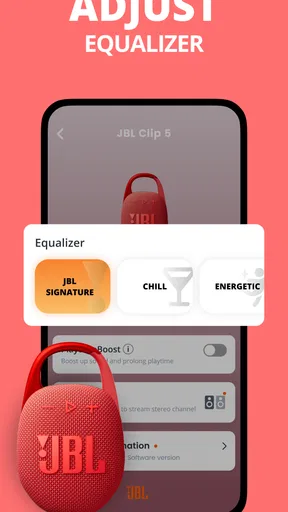
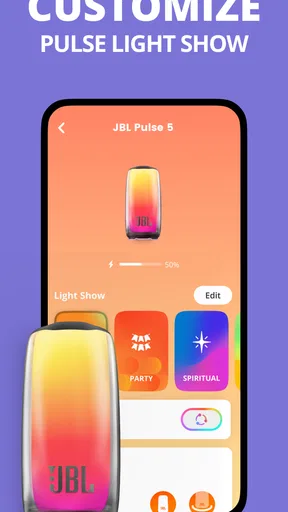
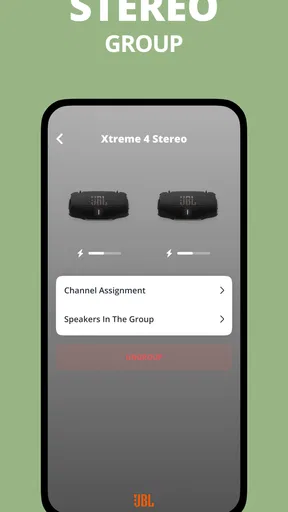
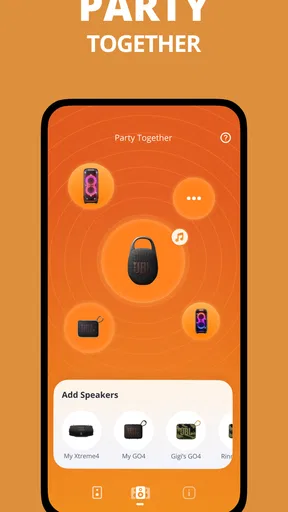
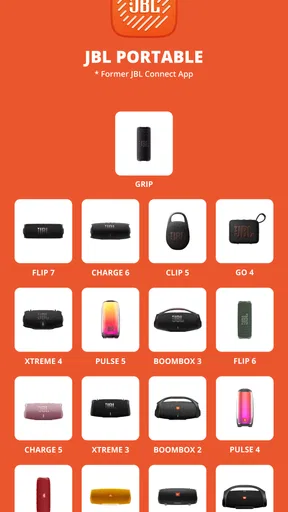
Our Review of JBL Portable
 Analysis by Appyee
I installed JBL Portable expecting a simple companion for a Bluetooth speaker, and that is exactly where it makes the most sense. It is an entertainment app from Harman Consumer, Inc. designed to work with JBL portable Bluetooth speakers, rather than a general music player or a replacement for the audio apps already on your phone. In my experience, its value appears after the speaker is connected: it gives you a more convenient place to manage supported speaker settings and get more from the hardware you already own.
The app is free and aimed at Everyone, which makes it easy to try without turning the setup into a major commitment. It has been available since June 25, 2015, and its current version is 6.9.33. That long history matters because this is not a brand-new utility trying to prove its purpose; it has had time to become a familiar part of the JBL portable-speaker experience. Still, the usefulness depends heavily on whether your particular speaker is supported and whether you actually want controls beyond the phone’s normal Bluetooth menu.
How JBL Portable fits into everyday speaker use
The first thing I would clarify is what this app is not. It does not replace Spotify, Apple Music, YouTube Music, or the music player you already prefer. You still choose and play your content elsewhere. JBL Portable sits beside those services as a control layer for the speaker itself. That distinction prevents a common disappointment: installing it will not create a new music library or make your phone’s audio apps unnecessary.
For a person who uses a JBL portable speaker occasionally, the app can feel optional at first. Bluetooth pairing may already be enough to play music. The difference becomes clearer when you want to check the speaker connection, adjust available controls, manage supported playback features, or keep the hardware experience organized in one place. I found that the app is most useful when the speaker is part of a routine rather than a device I pick up once every few months.
A realistic example is a weekend kitchen setup. I can connect the speaker before cooking, open the app to confirm that the right device is active, make a quick adjustment, and then return to the music service. Later, if I move the speaker to a patio or another room, the companion app is more purposeful than repeatedly searching through the phone’s Bluetooth settings. It does not eliminate every connection problem, but it gives the speaker a clearer identity than a generic entry in a system menu.
The key benefit is not extra entertainment content; it is easier control over compatible JBL hardware. That makes the app a sensible download for owners who want to understand and manage their speaker, but a poor choice for someone looking only for a streaming app.
What I noticed during setup and connection
The practical starting point is simple: turn on the portable speaker, make sure Bluetooth is active, and let the app look for the device. The experience is naturally dependent on the phone and speaker being close enough to communicate reliably. If the speaker is switched off, already connected elsewhere, or outside normal Bluetooth range, the app cannot compensate for that basic problem.
One useful habit is to open the app while the speaker is nearby instead of trying to configure everything after carrying it to another room. This sounds obvious, but it avoids confusing a discovery problem with an app problem. I also recommend checking the phone’s Bluetooth panel if the speaker does not appear immediately. A companion app can guide the experience, but it cannot bypass the operating system’s connection state.
Once the speaker is recognized, the app feels more valuable because the device is presented as a supported JBL product instead of an anonymous wireless accessory. That is particularly helpful in a household with multiple Bluetooth devices. I can tell which speaker I am trying to manage, rather than guessing from a list of similarly named connections.
There is still some friction. The app is not a universal remote for every JBL product, and the exact controls depend on the speaker model. Someone buying it before checking compatibility may install it and discover that the experience is narrower than expected. I would treat model compatibility as the first question, not an afterthought.
Controls are more useful when tied to a habit
I get the most from the app when I use it at the beginning of a listening session. For example, before a small gathering, I can connect the speaker, inspect the available controls, and make sure the device I intend to use is the one selected. That short check is more useful than waiting until guests are present and then troubleshooting a connection while music is supposed to be playing.
Another good workflow is to use the app after moving the speaker between locations. A portable speaker may be used in a bedroom one day, a living room the next, and outdoors later. The app gives me a consistent place to return to, which is more comfortable than relying entirely on memory of how the speaker behaved in each location.
I would not open it for every song change. That would be unnecessary. The music app remains the faster tool for choosing albums, playlists, or tracks. JBL Portable earns its place during setup, adjustment, and device management, not as an extra screen that stays open throughout the entire listening session.
What the current version means for owners
The current release is 6.9.33, and the app’s long presence since 2015 suggests an established companion product rather than a temporary experiment. I see that evolution in the way the app is positioned: it is focused on making portable JBL speakers easier to use, not on competing with the services that deliver the audio. For existing owners, that focus is reassuring because the app has a clear job.
At the same time, a version number alone should not be treated as a promise that every older speaker will receive the same experience as a newer one. Hardware capability still matters. A speaker may connect successfully while exposing fewer controls than another model. This is one of the most important trade-offs: the app can improve access to supported functions, but it cannot add physical capabilities that the speaker was never designed to provide.
That also affects expectations around updates. I would keep the app current if I rely on it, especially when the phone’s operating system or Bluetooth behavior changes. But I would not assume that an update will transform an entry-level speaker into a different class of product. The sensible expectation is a smoother companion experience and continued support for compatible hardware, not a completely new speaker feature set.
The minimum operating-system requirement is Android or iOS 9. That is a relatively broad starting point, so older compatible devices may still have a path to using the app. In practice, the phone’s own Bluetooth behavior, available storage, and general software condition can still affect the experience. A low-end or very old phone may make connection steps feel slower even when the app itself is suitable.
How the app affects people who already own a speaker
If you have been using a JBL portable speaker only through the phone’s Bluetooth settings, installing the app may change your routine in a small but worthwhile way. You gain a dedicated place to interact with the speaker, which can make setup less mysterious. This is especially helpful for someone who shares the speaker with family members who do not want to learn a series of hardware-button combinations.
For experienced users, the benefit is more selective. If you already know the speaker’s controls and rarely change anything, the app may spend most of its time unused. I would still keep it available for occasional setup or troubleshooting, but I would not call it essential for every listening session. Its value rises with the number of supported controls you actually use.
It can also help reduce a subtle source of confusion in shared spaces. When several people connect to the same portable speaker, the person holding the phone may not know whether the speaker is connected to another device. Opening the companion app gives a clearer starting point than repeatedly pressing Bluetooth controls and hoping the right connection wins. It does not solve every multi-device conflict, but it makes the speaker relationship easier to inspect.
One practical tip is to separate speaker management from music selection. I use JBL Portable to prepare the hardware, then close or leave it in the background while using my preferred audio service. This keeps the process simple and avoids treating the companion app as an unnecessary middleman between me and my music.
Where it compares well with ordinary alternatives
The usual alternative is to skip the app and use the phone’s built-in Bluetooth menu. That approach is perfectly adequate for basic pairing and playback. It is also faster when all you need is to connect once and start listening. If your speaker is already configured and you never touch its additional controls, the system menu may be enough.
JBL Portable is better when you want a speaker-specific experience. The phone’s Bluetooth page treats the speaker as a connection target; the companion app treats it as a product you are actively managing. That difference is modest, but it matters when you own more than one JBL speaker or want a repeatable setup instead of a bare connection switch.
Compared with a general remote-control app, this one has a narrower purpose and a stronger hardware relationship. A generic alternative may offer broader device coverage, but it is unlikely to understand the same JBL speaker context. I prefer the focused approach here, provided my speaker is compatible. The trade-off is obvious: owners of other brands gain little from installing it.
It also compares differently with a manufacturer-neutral music app. A streaming service is the right choice for discovering and playing content; JBL Portable is the right choice for handling the speaker around that content. Neither replaces the other. If someone wants one app to do everything, this will feel limited. If they want the speaker to behave more like a supported product than a disposable Bluetooth endpoint, the division of labor works well.
Limitations I would consider before installing
The biggest limitation is dependence on compatible JBL portable speakers. The app’s name and purpose are clear, but that focus can be easy to overlook when browsing entertainment apps. It is not a worthwhile download for a person who does not own the relevant hardware, and it should not be chosen simply because it has a strong average rating.
Another limitation is that the app cannot make Bluetooth flawless. Walls, distance, competing connections, phone settings, and the speaker’s own state can still cause trouble. When a connection fails, I first check whether the speaker is powered on and available, then inspect the phone’s Bluetooth status. Blaming the app immediately can send you in the wrong direction.
The interface can also feel unnecessary for basic users. If you only press play on your phone and adjust volume, adding a companion layer may seem like extra work. I would skip it if the speaker is used rarely and never needs configuration. The app becomes more convincing for people who regularly move the speaker, share it, or want easier access to supported controls.
Finally, the experience is not identical across the entire JBL portable range. The app may expose different possibilities depending on the connected model. That is not a flaw unique to this product, but it is important when comparing your experience with another owner’s. Their speaker may offer a different set of app interactions even though both devices use JBL Portable.
Who should use it and who should skip it
I recommend it to JBL portable-speaker owners who want a dedicated companion, especially people who move the speaker around the home, use it during gatherings, or find ordinary Bluetooth menus too vague. It is also a sensible choice for households where several people need to connect to the same speaker without guessing which device is active.
I would be more cautious if you are buying a speaker primarily for simple plug-and-play use. If your ideal routine is pairing once and never opening a control app again, the phone’s built-in tools may be enough. Likewise, owners of non-JBL speakers should choose a companion designed for their own hardware rather than expecting this app to help.
The audience rating of Everyone makes it approachable for general households, and the free price removes the usual trial barrier. Its popularity is also considerable: it has passed ten million installs, with an average rating of 4.7 from around 371 thousand ratings and about 7.1 thousand written reviews. Those figures show broad adoption, but they do not change the central condition that the app’s usefulness begins with having a compatible speaker.
What I would watch as the app continues to evolve
For future updates, I would pay attention to how consistently the app handles older and newer JBL portable models. The most useful evolution would be clearer compatibility guidance and a smoother path from discovery to control, because those are the moments where new users are most likely to hesitate. A companion app should make the hardware relationship obvious without forcing people to experiment.
I would also watch whether the experience stays focused. It does not need to become a music platform to be valuable. In my view, its strongest direction is improving speaker management while leaving music discovery to the services that already do that job well. Extra complexity would be a poor trade if it made a quick setup feel like a full account-based media experience.
For existing users, the practical advice is simple: keep the app installed if you use its speaker-specific controls, but do not depend on it as the only way to play music. If the app ever has trouble, the phone’s Bluetooth settings and the speaker’s physical controls remain useful fallback tools. That redundancy is helpful because it means a temporary app issue does not automatically end the listening session.
After using it, I see JBL Portable as a focused utility that earns its place beside a JBL speaker rather than on every phone. It is free, familiar, and easy to justify when you want more than basic pairing. Its limits are equally clear: it is hardware-specific, its available controls vary by speaker, and it does not replace a music service. For the right owner, JBL Portable turns a portable speaker into a more manageable everyday device. For everyone else, the normal Bluetooth menu is probably the cleaner choice.
Verdict
Strengths of JBL Portable
- Simple setup and reliable Bluetooth connection
- Supports multiple JBL speakers for a wider soundstage
- Portable design makes it convenient for outdoor listening
- Battery level is easy to check in the companion app
- Firmware updates can improve speaker performance over time
Limitations of JBL Portable
- Some advanced features require installing the JBL Portable app
- Compatibility varies between different JBL speaker models
- The app may request Bluetooth and location permissions
- Speaker customization options are limited on older models
- Connection can be affected by heavy wireless interference
Other Releases by Harman Consumer, Inc.
View All
JBL Headphones
Music & Audio4.6
Similar Picks in This Category
View All
Google Play Games
Google LLC3.9

Netflix
Netflix, Inc.4.8

YouTube Kids
Google LLC4.2

Disney+
Disney4.4

Prime Video
Amazon Mobile LLC4.7

Steam
Valve Corporation3.2
Frequently Asked Questions
What is JBL Portable, and what can I use it for?
JBL Portable is JBL’s companion app for managing compatible JBL Bluetooth speakers. After installing it, you can connect supported speakers, check battery status, adjust audio settings with an equalizer, update firmware, and access product information. It is especially useful if you want more control than the basic Bluetooth settings on your Android or iPhone provide.
Which JBL speakers are compatible with the JBL Portable app?
Compatibility depends on the specific JBL speaker model and its generation. The app generally supports many JBL Portable-series speakers, including selected Flip, Charge, Xtreme, and Boombox models, but not every JBL product works with it. Before downloading, check your speaker’s product page, manual, or the app’s current compatibility list to confirm support.
Does JBL Portable work without an internet connection?
The app can usually connect to and control a compatible speaker through Bluetooth without requiring constant internet access. However, an internet connection may be needed for downloading firmware updates, loading certain product information, or completing some setup functions. Bluetooth must be enabled, and the app may also request nearby-device or location permissions depending on your phone’s operating system.
Can I update my JBL speaker or change its sound settings through the app?
Yes, supported speakers can receive firmware updates through JBL Portable, which may improve performance, stability, or compatibility. The app may also provide an equalizer or sound controls, although the available options vary by model. Keep the speaker sufficiently charged, maintain a stable Bluetooth connection, and avoid closing the app while an update is in progress.
Is JBL Portable free, and are there any privacy or permission concerns?
JBL Portable is generally available as a free download, with its main features intended for owners of compatible JBL speakers. The app may request Bluetooth, nearby-device, notification, or other permissions to discover and manage your speaker. Review the permissions shown in the Google Play Store or App Store, and install updates only from the official store for safer use.
